


Why SSD Drives Need Power to “Remember”
And What Happens If You Forget About a Portable SSD for Years? SSD Drives Need Power?
If you’ve ever digitized old family VHS tapes, camcorder footage, or photo albums, we have suggested you:
“Put it on an SSD — they’re fast and reliable!”
That’s good advice… with one important caveat that almost no one talks about. Yes, they still need power to "remember" your digitized files. It's a way of "Keeping it Alive for Many years to come!"
SSDs don’t store memories the same way hard drives or DVDs do. And if an external portable SSD sits unplugged in a drawer for years, those precious family videos can quietly fade away.
At Video Doc Productions, we want to help you preserve your family memories from video tapes, film slides and photographs forever. This article will help explain why you can NOT just toss the SSD drive in a drawer and forget about it for the next 10 years.
Let’s break this down in plain English - Why does my portable SSD Drive need Power to "Remember"?

How an SSD Actually Stores Your Family Memories
An SSD (Solid State Drive) doesn’t have spinning disks or moving parts. Instead, it stores data using tiny electronic “containers” called memory cells.
Here’s the simplest analogy:
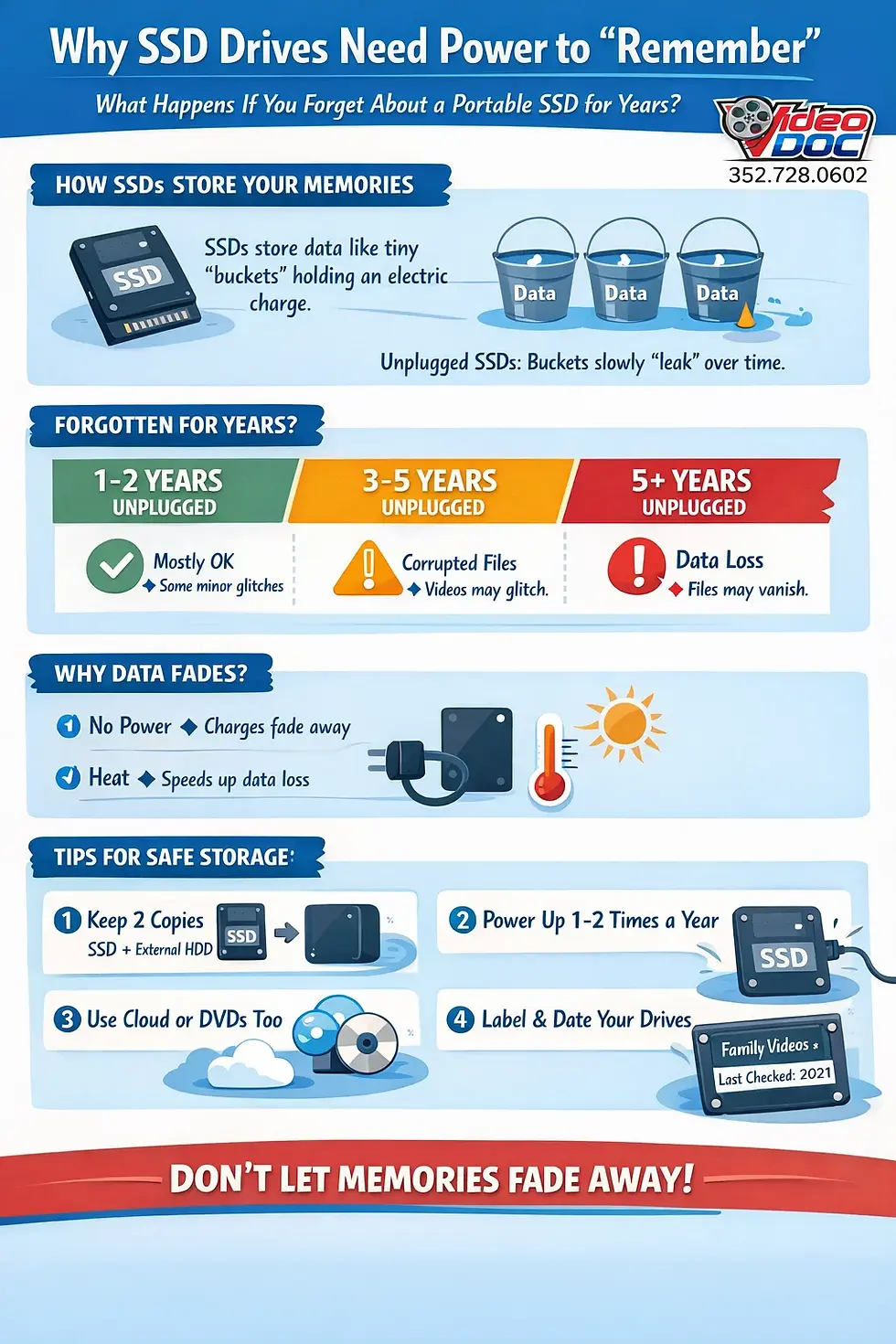
👉 Think of each memory cell like a tiny bucket holding a small electrical charge. That charge represents your data - video clips, photos, audio, everything.
As long as the charge stays put, your files are safe. But here’s the key difference from older storage types:
SSDs don’t store data permanently — they store it electrically.
Why SSDs Slowly Forget When Unplugged
Electric charge leaks. Always.
Very slowly, very quietly, and without warning.
When an SSD is plugged in and powered on, it does a few important things automatically:
It checks its memory cells
Refreshes weak data
Rewrites information before it fades
Fixes tiny errors before they become big ones
When the drive is unplugged for long periods, none of that maintenance happens.
Using our bucket analogy:
A powered-on SSD keeps topping off the buckets
An unplugged SSD lets them slowly evaporate
Eventually, some buckets get too empty to read correctly.
“But I Thought SSDs Were Better Than Hard Drives?”
They are better in many ways — especially for speed, portability, and everyday use.
But SSDs were never designed to be long-term cold storage, like a box of photo negatives in a closet.
Traditional hard drives (HDDs) store data magnetically — more like carving grooves into vinyl. As long as the drive isn’t damaged, the data can sit untouched for a long time.
SSDs are more like whiteboards written with dry-erase markers. Over time, the writing fades unless it’s rewritten.
What Happens If You Forget About a Portable SSD for a Few Years?
Let’s say you digitize:
You copy everything onto a portable SSD, label it nicely, and put it in a drawer.
Then life happens. You get busy and forget about the portable Solid State Hard Drive with your family memories on it.
After 1- 2 Years Unplugged
Most files are probably still readable
Minor corruption can begin silently
You won’t know anything is wrong yet
After 3–5 Years Unplugged
Some files may refuse to open
Videos might glitch, freeze, or show artifacts
Entire folders may vanish or throw errors
After 5+ Years Unplugged
Data loss becomes a real risk
File systems can break
Recovery becomes difficult or impossible
And the scariest part?
The drive will often still power on normally. It won’t warn you that the data inside has quietly degraded.
Why Family Video Archives Are Especially at Risk
Consumer portable SSDs prioritize:
Speed
Small size
Low cost
To do that, they use memory that packs a lot of data into very tiny cells.
That’s great for everyday use - but the more data packed into each cell, the faster it fades when unpowered.
Family archives are also usually:
Rare or irreplaceable
Only copied once
Not checked regularly
Which makes them especially vulnerable to slow, unnoticed data decay.
Temperature Makes Things Worse
Another important factor: heat.
If your SSD is stored:
In a garage
In an attic
Near electronics
In a warm climate
The electrical charge leaks faster.
Heat is like leaving those water buckets out in the sun.
The Big Myth: “Digital Means Forever”
Digital storage feels permanent - but it isn’t.
SSDs are fantastic working drives. They’re not ideal memory vaults.
If you’ve digitized family history, the goal isn’t just storage - it’s preservation.
Preservation requires:
Redundancy
Periodic checking
Refreshing data over time
How to Safely Store Family Videos Long-Term
Here’s what we recommend at Video Doc Productions for everyday families:
1. Never Rely on a Single SSD
One drive is one point of failure.
Always keep at least two copies, ideally on different types of storage.
2. Power Up SSDs Periodically
If you use SSDs for archives:
Plug them in once or twice a year
Open a few files
Copy the data off and back on if possible
This refreshes the memory cells.
3. Pair SSDs with Other Storage
SSDs are great when combined with:
External hard drives (HDDs)
Cloud backups
Optical discs (for some archives)
Each storage type has different strengths - and weaknesses.
4. Label and Date Everything
Future-you (or future family members) will thank you.
Include:
What’s on the drive
When it was last checked
What device it works with
So… Are SSDs “Bad” for Family Archives?
Not at all.
They’re just misunderstood.
SSDs are fantastic tools — as long as you don’t treat them like a digital time capsule you can bury and forget.
If your family memories matter (and they do), the real secret isn’t which drive you use.
It’s how you care for your data over time.
Final Thought
Your family videos aren’t just files. They’re voices, faces, moments, and stories that don’t exist anywhere else.
Technology changes. Storage fades. But with a little planning, your memories don’t have to.
If you ever want help choosing the right storage setup - or digitizing and preserving your family’s history the right way - Video Doc Productions is always happy to help.
Because memories deserve better than a forgotten drawer. 💾❤️
Comments